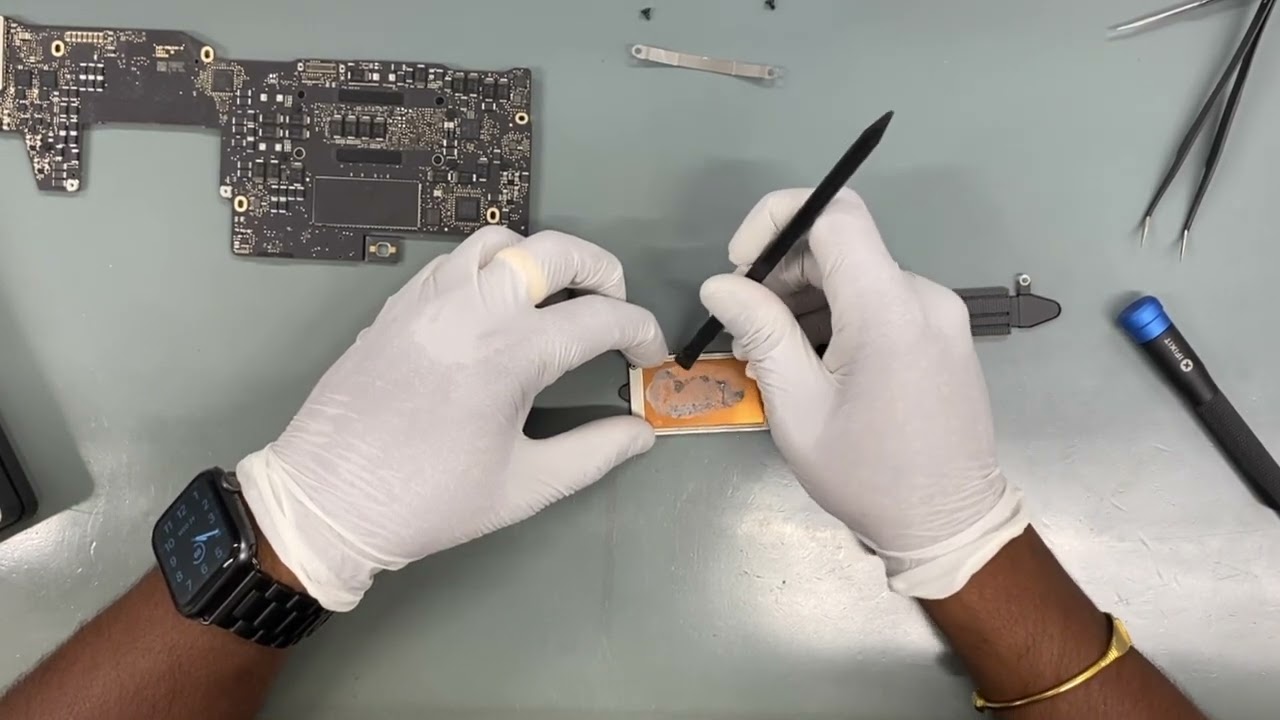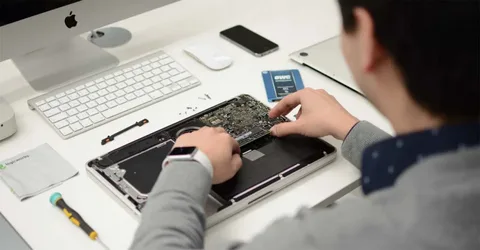
A MacBook water damaged device can create panic for any user. Whether it’s a spilled drink, rain exposure, or accidental immersion, liquid and electronics simply do not mix. Water damage can cause short circuits, corrosion, and complete system failure if not handled correctly. While quick first-aid steps at home can help minimise risk, the real difference comes when trained specialists step in. Professional technicians follow proven diagnostic and repair procedures to restore a MacBook safely and effectively. This blog explores how experts handle a MacBook water damaged device, from inspection to MacBook water damaged repair and even motherboard replacement when necessary.
Understanding the Impact of Water on a MacBook
Before diving into the professional repair process, it’s important to understand what water does to a MacBook. When liquid enters the device, it can affect:
- The logic board (motherboard)
- Keyboard and trackpad
- Battery and power circuits
- Internal connectors
- Display components
A MacBook water damaged issue can quickly escalate if the moisture spreads to critical internal parts. Water may leave mineral residue behind, cause rusting, or create short circuits. This is why professionals treat liquid damage as an urgent matter requiring immediate and methodical attention.
Step 1: Initial Assessment and Drying Process
When a MacBook arrives at a repair centre, technicians perform a physical inspection to understand where the liquid entered and how widespread the issue might be. Water may enter through vents, ports, or directly onto the keyboard.
Professionals never rely on surface-level drying.
Unlike DIY methods such as using a hairdryer or leaving the device in rice—which often cause further harm—technicians use controlled drying techniques. These may include:
- Specialized moisture-extracting equipment
- Anti-static cleaning stations
- Professional airflow machines
This stage helps stop corrosion from progressing and prepares the MacBook for detailed diagnostics.
Step 2: Full Internal Disassembly
After initial drying, experts carefully open the device to access all internal components. A MacBook water damaged device requires complete disassembly because liquid often spreads to unexpected places.
Technicians remove:
- Logic board
- Battery
- Keyboard
- Trackpad
- Speakers
- Connectors and cables
Every part is inspected individually. This allows professionals to identify hidden moisture, corrosion spots, and burnt components that could prevent the MacBook from functioning properly.
Step 3: Deep Cleaning and Corrosion Treatment
Water damage almost always leads to corrosion if not addressed promptly. This is where trained specialists truly make a difference.
Technicians use:
- Ultrasonic cleaning machines
- High-grade cleaning solutions
- Electronic-safe drying technology
The ultrasonic cleaning process is especially important. It removes microscopic corrosion from the motherboard, connectors, and other vital areas that manual cleaning cannot reach.
If the logic board has minor damage, deep cleaning can often restore full performance without the need for motherboard replacement.
Step 4: Component Testing and Diagnostics
Once everything is cleaned and dried thoroughly, professionals begin the diagnostic phase. They reconnect essential components and use special tools to test:
- Voltage flow
- Power circuits
- Trackpad and keyboard functions
- Battery health
- Display and backlight
- Charging system
- Wi-Fi and Bluetooth connections
This step helps determine how much of the system survived the water exposure. Even if a MacBook powers on, hidden corrosion may still be affecting internal circuits. Technicians run multiple tests to ensure stability and long-term safety.
Step 5: Repair or Motherboard Replacement
A MacBook water damaged repair can involve a variety of solutions depending on the severity. Technicians focus on restoring functionality with minimal part replacements, but in some cases, certain components have irreversible damage.
Common Repairs Include:
- Replacing corroded connectors
- Fixing keyboard and trackpad issues
- Repairing power supply circuits
- Installing a new battery
- Cleaning or replacing internal cables
However, when the logic board has extensive short circuits or burnt chips, a motherboard replacement becomes necessary.
Why Motherboard Replacement May Be Required
The motherboard is the core of the MacBook. If water has caused:
- Multiple shorted chips
- Advanced corrosion
- Power IC failure
- Damaged CPU or GPU
then repairing it may not be cost-effective or safe. A replacement ensures the device can operate reliably again. Professionals install a compatible board, test every component, and update software as needed to ensure seamless performance.
Step 6: Final Assembly and Multi-Point Testing
Once repairs or replacements are complete, technicians reassemble the MacBook and conduct final testing. This includes:
- Functionality test of all ports
- Battery performance check
- Keyboard and trackpad responsiveness
- Wi-Fi and Bluetooth connectivity
- Charging accuracy
- Screen quality and brightness levels
- System stability and thermal performance
This stage ensures that the MacBook works just like before—or even better—after the MacBook water damaged repair.
Step 7: Preventive Measures and Recommendations
A major benefit of professional repair is the guidance provided afterward. Technicians typically advise users on how to prevent future water damage, such as:
- Using spill-proof keyboard protectors
- Keeping drinks away from the device
- Avoiding damp environments
- Using waterproof sleeves when travelling
They may also recommend periodic internal cleaning to maintain long-term system health, especially if corrosion was found during repairs.
Why Professional Handling Matters
Trying to repair a MacBook water damaged device at home can lead to permanent damage. Professionals bring expertise, tools, and advanced repair technology that simply cannot be replicated with household methods.
Key Advantages Include:
- Accurate diagnostics
- High-quality cleaning and corrosion removal
- Safe handling of delicate internal parts
- Access to replacement components
- Long-term stability and performance
Most importantly, professional intervention increases the chance of successful recovery—even in severe water damage cases.
Signs You Need Immediate Professional Help
If you notice any of the following, you should seek a MacBook water damaged repair service immediately:
- MacBook won’t turn on
- Sticky or unresponsive keys
- Random shutdowns
- No display or dim screen
- Charging issues
- Overheating
- Flickering or distorted graphics
Delaying repair increases the risk of deeper corrosion, which may eventually require costly parts like motherboard replacement.
Conclusion: Trust Experts for Safe and Reliable Water Damage Recovery
A MacBook water damaged device can feel like a disaster, but with the right professional care, it often can be restored to full working condition. Skilled technicians use specialised tools, precision cleaning, thorough diagnostics, and advanced repair techniques to ensure the device is safe and dependable again. Whether the repair involves simple cleaning, component replacement, or a full motherboard replacement, experts ensure the highest chance of successful recovery.
If you want long-term reliability and performance, professional handling is the safest and most effective solution when facing water damage.