Liquid damage is one of the most common and destructive issues affecting laptops and smartphones. Whether it’s a spilled coffee, accidental drop in water, or humidity exposure, internal components can suffer serious damage. Among all parts, the logic board is the most critical—and the most vulnerable.
In many cases, logic board replacement becomes necessary when corrosion or short circuits occur. Alongside this, users may also require LCD replacement or display replacement if the screen is affected.
This guide explains everything you need to know about logic board replacement after liquid damage cases, including symptoms, repair options, and what to expect.
What Happens When Liquid Enters Your Device
When liquid seeps into a device, it doesn’t just sit harmlessly. It spreads across internal circuits and components, causing:
- Short circuits
- Corrosion over time
- Damage to microchips and connectors
- Display malfunctions
Even if your device seems to work initially, hidden damage can worsen over time. This is why early diagnosis is crucial.
Why Logic Board Is Most Affected
The logic board (also known as the motherboard) is the central hub of your device. It connects and controls:
- Processor (CPU)
- Memory (RAM)
- Storage
- Power circuits
- Display connections
Liquid exposure can disrupt these connections instantly or gradually. In severe cases, logic board replacement is the only viable solution.
Signs You Need Logic Board Replacement
After liquid damage, your device may show several warning signs. If you notice any of these, a logic board replacement might be required:
- Device Not Powering On
If your device completely fails to turn on, internal circuits may be damaged.
- Random Shutdowns
Frequent restarts or sudden shutdowns indicate unstable power flow.
- No Charging Response
Liquid damage can affect charging ICs, making the device unresponsive.
- Overheating Issues
Short circuits often cause excessive heat generation.
- Display Problems
Sometimes, screen issues are linked to the logic board, requiring both display replacement and board repair.
When LCD Replacement or Display Replacement Is Needed
Liquid damage doesn’t always stop at internal components—it can affect the screen too.
LCD Replacement
You may need LCD replacement if you notice:
- Black spots or patches
- Flickering screen
- Lines across the display
Display Replacement
A complete display replacement is required when:
- The screen is unresponsive
- Touch functionality stops working
- Screen remains blank despite power
In many liquid damage cases, technicians evaluate whether both logic board replacement and screen repair are needed.
Can Logic Board Be Repaired Instead?
Before opting for logic board replacement, technicians usually attempt repairs. This may include:
- Cleaning corrosion using specialized solutions
- Replacing damaged chips
- Fixing broken circuits
However, repair is only possible if:
- Damage is minimal
- Corrosion hasn’t spread extensively
- Key components are still functional
If the damage is severe, logic board replacement becomes unavoidable.
Step-by-Step Logic Board Replacement Process
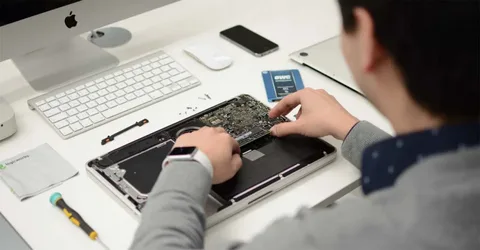
Understanding the process helps set realistic expectations. Here’s how professionals handle logic board replacement after liquid damage:
- Device Inspection
Technicians open the device and assess the extent of liquid damage.
- Component Testing
Each part is tested, including:
- Logic board
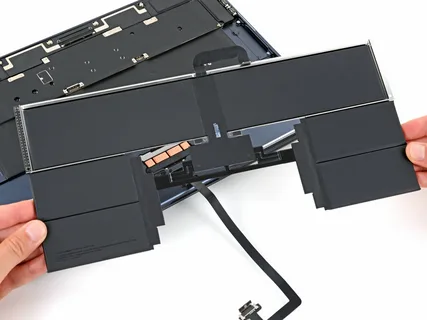
- Battery
- Display
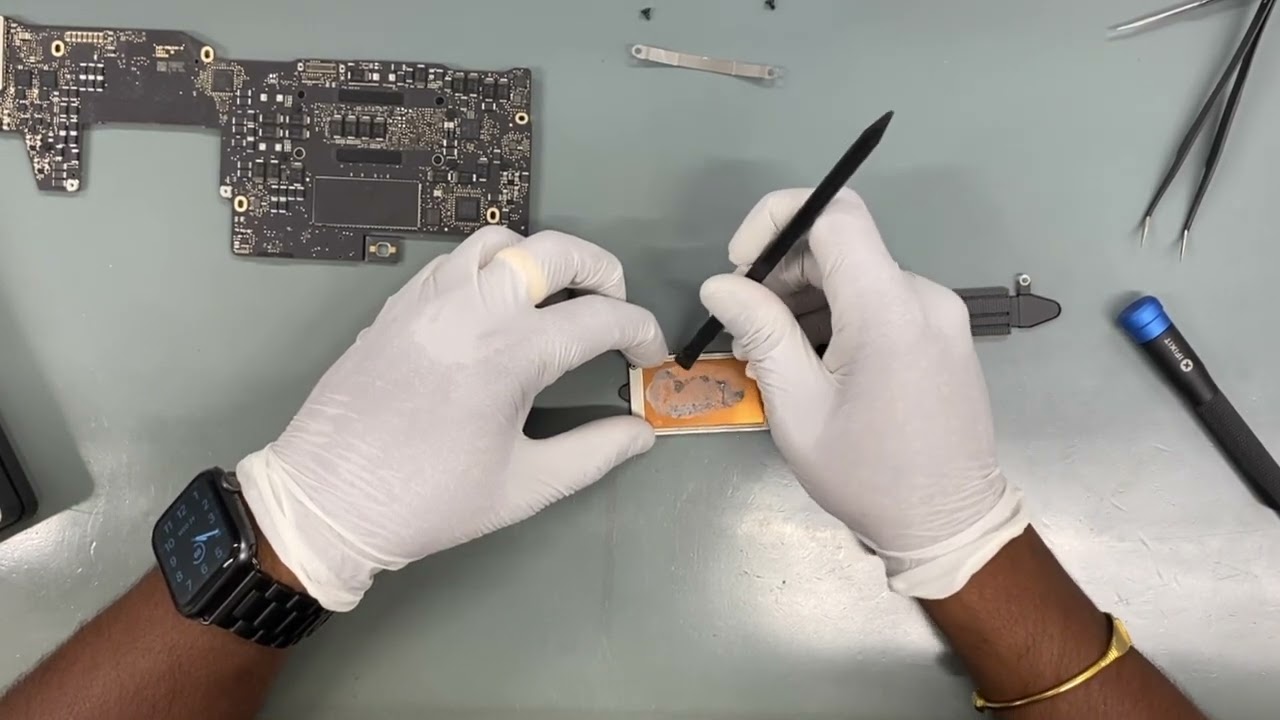
- Cleaning Process
Mild corrosion is cleaned using ultrasonic tools.
- Diagnosis Confirmation
If the board is beyond repair, logic board replacement is recommended.
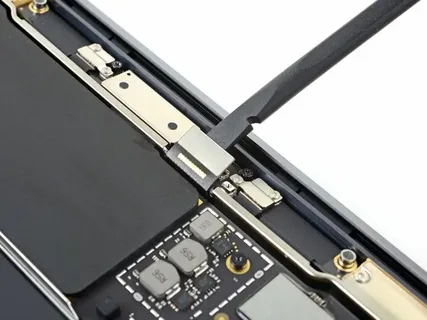
- Replacement Procedure
- The damaged board is removed
- A compatible board is installed
- Connections are secured
- Testing and Quality Check
After replacement, the device is tested for:
- Power
- Display functionality
- Charging
- Performance
If needed, LCD replacement or display replacement is done simultaneously.
Cost Factors for Logic Board Replacement
The cost of logic board replacement varies depending on:
- Device model and brand
- Severity of liquid damage
- Availability of parts
- Additional repairs (like display replacement)
Typically, replacing a logic board is one of the more expensive repairs due to the complexity and importance of the component.
Is It Worth Replacing the Logic Board?
This depends on several factors:
Consider Replacement If:
- Device is high-end or relatively new
- Data recovery is important
- Repair cost is lower than buying new
Consider Replacement Alternatives If:
- Device is outdated
- Repair cost is too high
- Multiple components are damaged
In some cases, combining logic board replacement with LCD replacement may still be more economical than buying a new device.
How to Prevent Liquid Damage in Future
Prevention is always better than repair. Here are some tips:
- Keep liquids away from your device
- Use protective covers
- Avoid using devices near water sources
- Act immediately if liquid spills occur
Immediate Steps After Liquid Exposure:
- Turn off the device immediately
- Disconnect power sources
- Do not try to charge it
- Seek professional help quickly
Quick action can sometimes prevent the need for logic board replacement.
Importance of Professional Repair Services
Liquid damage repairs require expertise and specialized tools. Attempting DIY fixes can worsen the problem.
Professional technicians can:
- Accurately diagnose damage
- Decide between repair and logic board replacement
- Identify if display replacement or LCD replacement is necessary
Choosing experienced service providers ensures better outcomes and device longevity.
Common Myths About Liquid Damage
Myth 1: Rice Fixes Everything
Placing a device in rice may absorb moisture but doesn’t remove corrosion.
Myth 2: If It Works, It’s Fine
Hidden damage can appear days or weeks later.
Myth 3: Only the Screen Is Affected
In reality, internal components like the logic board are often the most damaged.
Final Thoughts
Liquid damage can be devastating, but not always the end of your device. With proper diagnosis and timely action, issues can be resolved effectively.
In severe cases, logic board replacement becomes essential to restore functionality. At the same time, screen-related issues may require LCD replacement or full display replacement.
Understanding the signs, repair process, and options available helps you make informed decisions and potentially save your device.