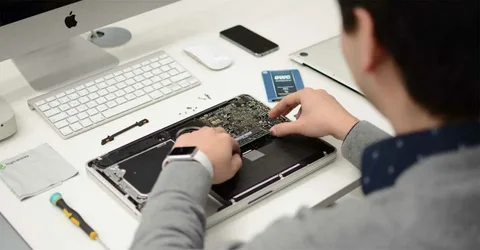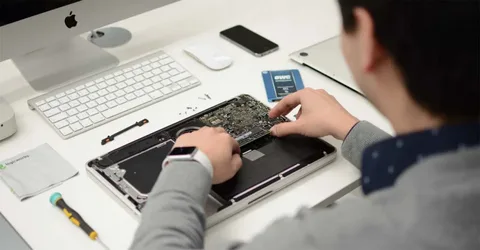

A damaged MacBook Pro display can disrupt your work, productivity, and daily routine. Whether it’s a cracked screen, flickering display, or dead pixels, understanding the MacBook Pro Screen Replacement process helps you plan repairs efficiently. Many users are unsure how long the repair takes or what happens during the workflow, especially when considering services like Computer screen repair Dubai or more complex fixes such as MacBook motherboard replacement.
In this guide, we’ll break down the exact time estimate and workflow involved in replacing a MacBook Pro screen, so you know what to expect from start to finish.
Common Signs You Need Screen Replacement
Before diving into the workflow, it’s important to confirm whether you actually need a screen replacement. Here are common indicators:
- Cracked or physically damaged screen
- Black spots or dead pixels
- Flickering or distorted display
- Backlight bleeding or dim screen
- Lines appearing across the display
If you notice any of these issues, a MacBook Pro Screen Replacement is often the most effective solution.
MacBook Pro Screen Replacement Time Estimate
The time required for a screen replacement depends on several factors. On average:
- Standard Repair Time
- 2 to 5 hours for most models (in-store repair)
- Same-day delivery in many professional service centers
- Advanced Cases
- 1 to 3 days if parts are not immediately available
- Additional time if internal damage is detected
- Delayed Repairs
- Up to 5–7 days for rare models or imported parts
If you are using Computer screen repair Dubai services, many providers offer express repairs due to high demand and availability of parts.
Factors That Affect Repair Time
Not all repairs are equal. Several factors can influence how long the process takes:
Model of MacBook Pro
Newer models with Retina displays are more complex and may take longer due to integrated components.
Severity of Damage
If the damage is limited to the screen, repair is faster. However, if internal components are affected, the workflow becomes longer.
Availability of Parts
Original parts may not always be in stock, especially for older models.
Additional Repairs Needed
Sometimes screen issues are linked to deeper problems like MacBook motherboard replacement, which significantly increases repair time.
Step-by-Step MacBook Pro Screen Replacement Workflow
Understanding the workflow helps you know what technicians do during the repair process.
- Initial Diagnosis
The repair begins with a full inspection of your MacBook Pro. Technicians check:
- Screen condition
- Graphics performance
- Internal connections
- Signs of motherboard or GPU issues
This step ensures that the issue is not mistakenly attributed to the display when it could require a MacBook motherboard replacement.
Time Required: 15–30 minutes
- Cost Estimate and Approval
After diagnosis, you’ll receive:
- Repair cost estimate
- Expected timeline
- Details of parts to be used
Once approved, the technician proceeds with the replacement.
Time Required: 10–20 minutes
- Device Preparation
Before opening the device:
- MacBook is powered off
- Battery is disconnected
- Static-safe tools are prepared
This ensures safe handling and prevents further damage.
Time Required: 10 minutes
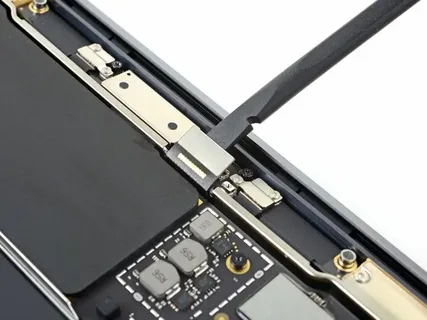
- Screen Disassembly
This is one of the most delicate steps. The technician:
- Removes the bottom case
- Disconnects internal cables
- Carefully detaches the display assembly
Modern MacBook Pro models have tightly integrated displays, requiring precision.
Time Required: 45–90 minutes
- Screen Replacement
The damaged screen is replaced with a new one. Steps include:
- Installing the new display assembly
- Reconnecting cables
- Ensuring proper alignment
If you’re using Computer screen repair Dubai services, many providers use high-quality or OEM parts for durability.
Time Required: 45–60 minutes
- Reassembly
Once the new screen is installed:
- All components are reassembled
- Screws and connectors are secured
- The device is closed properly
Time Required: 20–30 minutes
- Testing and Quality Check
After reassembly, the MacBook undergoes thorough testing:
- Display clarity and brightness
- Color accuracy
- Touch Bar (if applicable)
- External display connectivity
This step ensures everything is functioning perfectly.
Time Required: 30–60 minutes
- Final Delivery
Once testing is complete:
- Device is cleaned
- Ready for pickup or delivery
- Warranty details may be provided
Total Workflow Time Summary
Here’s a quick breakdown:
- Diagnosis: 15–30 minutes
- Disassembly & Replacement: 1.5–3 hours
- Testing: 30–60 minutes
Total Estimated Time: 2 to 5 hours (same-day service possible)
When Screen Replacement Takes Longer
Sometimes repairs may take longer due to hidden issues:
Internal Hardware Damage
If your MacBook has suffered impact damage, internal components may also be affected.
Motherboard Issues
Display problems can sometimes be linked to GPU or logic board faults, requiring MacBook motherboard replacement.
Water Damage
Liquid exposure can complicate repairs and increase turnaround time.
Benefits of Professional Screen Replacement
Choosing a professional repair service ensures:
- Proper installation
- Use of quality parts
- Warranty on repairs
- Reduced risk of further damage
Especially in locations offering Computer screen repair Dubai, technicians often specialize in Apple devices, ensuring high precision work.
DIY vs Professional Repair
Some users consider replacing the screen themselves, but this comes with risks.
DIY Risks
- Damage to internal components
- Voiding warranty
- Incorrect installation
Professional Advantages
- Skilled technicians
- Specialized tools
- Faster turnaround
For most users, professional MacBook Pro Screen Replacement is the safer and more efficient option.
Tips to Speed Up the Repair Process
If you want faster service, consider these tips:
- Back up your data before repair
- Choose a service center with parts in stock
- Book an appointment in advance
- Clearly describe the issue
These steps can help reduce delays and ensure smoother workflow.
How to Prevent Future Screen Damage
After replacement, protect your MacBook screen by:
- Using a protective case
- Avoiding pressure on the lid
- Cleaning with proper materials
- Keeping liquids away
Preventive care reduces the chances of needing another MacBook Pro Screen Replacement.
Conclusion
Understanding the MacBook Pro Screen Replacement time estimate and workflow helps you make informed decisions and avoid unnecessary delays. In most cases, the process takes just a few hours, but factors like model complexity, part availability, and internal damage can affect the timeline.
Whether you’re considering Computer screen repair Dubai services or dealing with more serious issues like MacBook motherboard replacement, knowing the workflow ensures transparency and confidence in the repair process.