Liquid exposure is one of the most common and damaging accidents that can happen to a laptop. A MacBook water damaged incident may seem minor at first, but even a small spill can lead to serious internal corrosion if not handled properly. Whether it’s water, coffee, or another liquid, immediate diagnosis and the right repair approach can save both data and money.
In this guide, we’ll break down how to identify damage, understand why a MacBook not powering on, and explore cost-effective MacBook water damaged repair solutions that help extend device life without unnecessary expenses.
Understanding How Water Damage Affects a MacBook
When liquid enters a MacBook, it spreads quickly across internal components. Moisture can short-circuit logic boards, damage connectors, and slowly corrode delicate circuitry. Even if the device seems to work initially, damage can worsen over time.
A MacBook water damaged system often suffers from:
Short circuits on the logic board
Corrosion on connectors and chips
Battery and charging failures
Keyboard and trackpad malfunctions
This is why professional diagnosis is critical before attempting repeated power-on cycles.
Early Warning Signs of a MacBook Water Damaged Issue
Not all water damage is immediately visible. Some symptoms appear gradually, making early detection essential.
Common Symptoms to Watch For
MacBook not powering on after liquid exposure
Random shutdowns or boot loops
Keyboard keys not responding
Trackpad behaving erratically
Overheating or fan running constantly
Charging issues or battery not detected
If any of these occur after a spill, continued use may increase repair costs.
Why a MacBook Not Powering On After Water Damage
One of the most alarming outcomes is when a MacBook not powering on at all. This usually indicates damage to power-related circuits.
Possible Causes Include:
Shorted power rails on the logic board
Corroded charging port or connectors
Battery protection circuit failure
Liquid damage to internal power chips
Attempting to force power on can worsen internal shorts, making professional diagnosis even more important.
Step-by-Step MacBook Water Damaged Diagnosis Process
Proper diagnosis determines whether a repair will be affordable or expensive. A structured evaluation prevents unnecessary part replacements.
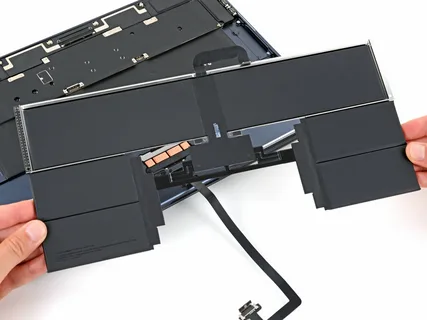
- Internal Inspection
Technicians open the device to check for:
Visible corrosion
Liquid residue
Burnt or oxidized components
This step alone often reveals the true extent of a MacBook water damaged repair condition.
- Voltage and Power Testing
Advanced tools are used to:
Measure power flow
Identify short circuits
Confirm logic board functionality
This helps pinpoint why a MacBook not powering on instead of guessing.
- Component-Level Assessment
Rather than replacing the entire board, skilled diagnosis focuses on:
Individual chips
Power ICs
Connectors and sensors
This approach significantly lowers MacBook water damaged repair costs.
Common Myths About Water-Damaged MacBooks
Many users unintentionally worsen damage due to misinformation.
Myths That Increase Repair Costs
Putting the laptop in rice fixes corrosion
Using a hair dryer safely removes moisture
If it turns on once, damage is gone
Board replacement is the only solution
In reality, corrosion continues even after the device dries externally.
Cost-Effective MacBook Water Damaged Repair Solutions
Repair costs depend on how quickly the issue is addressed and how deep the damage goes.
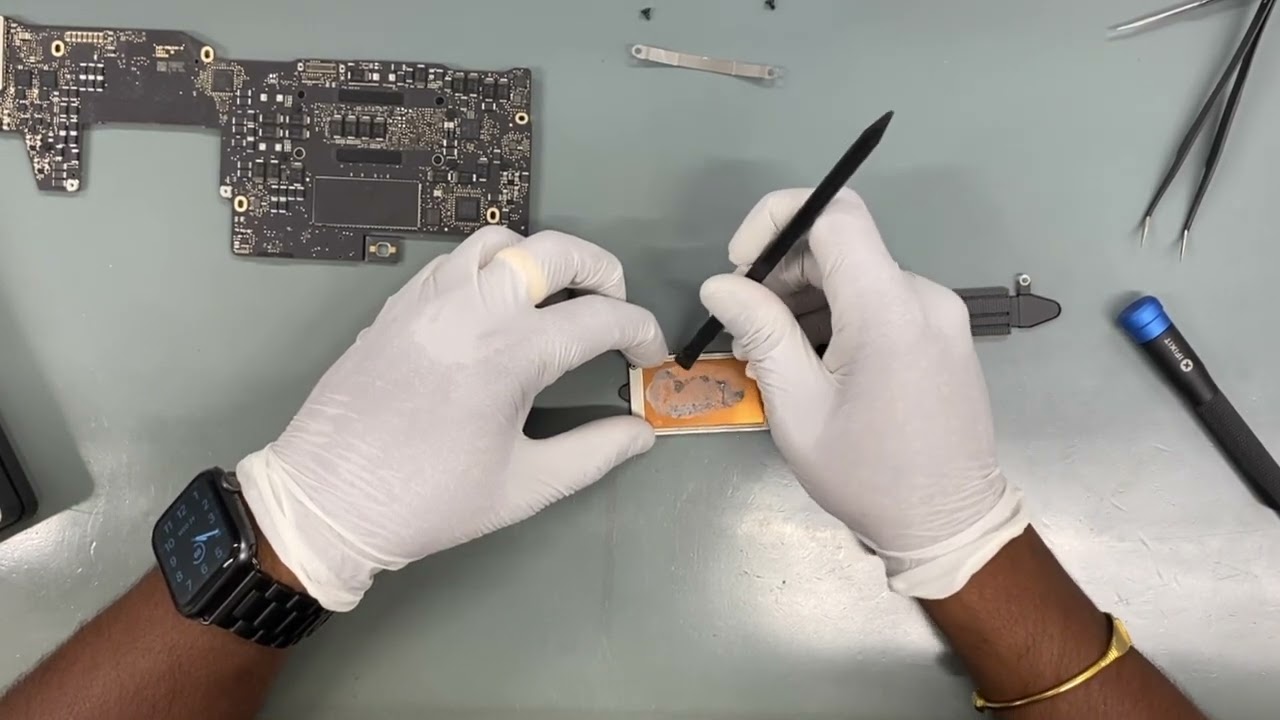
- Professional Cleaning and Corrosion Removal
If diagnosed early, ultrasonic or chemical cleaning can:
Stop corrosion
Restore connections
Prevent long-term failure
This is one of the most affordable MacBook water damaged repair options.
- Component-Level Repairs
Instead of replacing full assemblies:
Faulty chips are repaired or replaced
Shorted components are isolated
Power circuits are restored
This method saves significant cost compared to full board replacement.
- Keyboard or Trackpad Restoration
Water often affects input components first. Replacing only damaged sections keeps costs low and functionality intact.
When Repair Is More Affordable Than Replacement
Many users assume replacement is cheaper, but that’s not always true.
Repair Is Cost-Effective When:
Damage is localized
Logic board is repairable
Data recovery is important
Device age doesn’t justify replacement
A properly handled MacBook water damaged repair can restore performance close to original condition.
Preventing Long-Term Issues After Water Damage
Even after repair, preventive steps help avoid future problems.
Post-Repair Best Practices
Avoid humid environments
Use protective keyboard covers
Schedule follow-up inspections
Shut down immediately after any future spill
Prevention reduces repeat damage and extends device lifespan.
Why Timely Action Reduces Repair Costs
The biggest factor affecting repair cost is time. Delayed diagnosis allows corrosion to spread across the logic board, turning a simple fix into a major repair.
A MacBook water damaged device examined within 24–48 hours often requires only cleaning and minor repairs, while delayed cases may lead to complete power failure.
Final Thoughts on MacBook Water Damaged Diagnosis and Repair
A MacBook water damaged incident doesn’t automatically mean permanent loss. With accurate diagnosis and smart repair strategies, many devices can be restored efficiently and affordably. Understanding why a MacBook not powering on, avoiding common myths, and choosing component-level MacBook water damaged repair options can make a significant difference in cost and performance.